AI Scratchpad
Paste any text — meeting notes, a messy paragraph, raw data — pick an action, and get a clean result instantly. No new tab. No copy-pasting between apps.
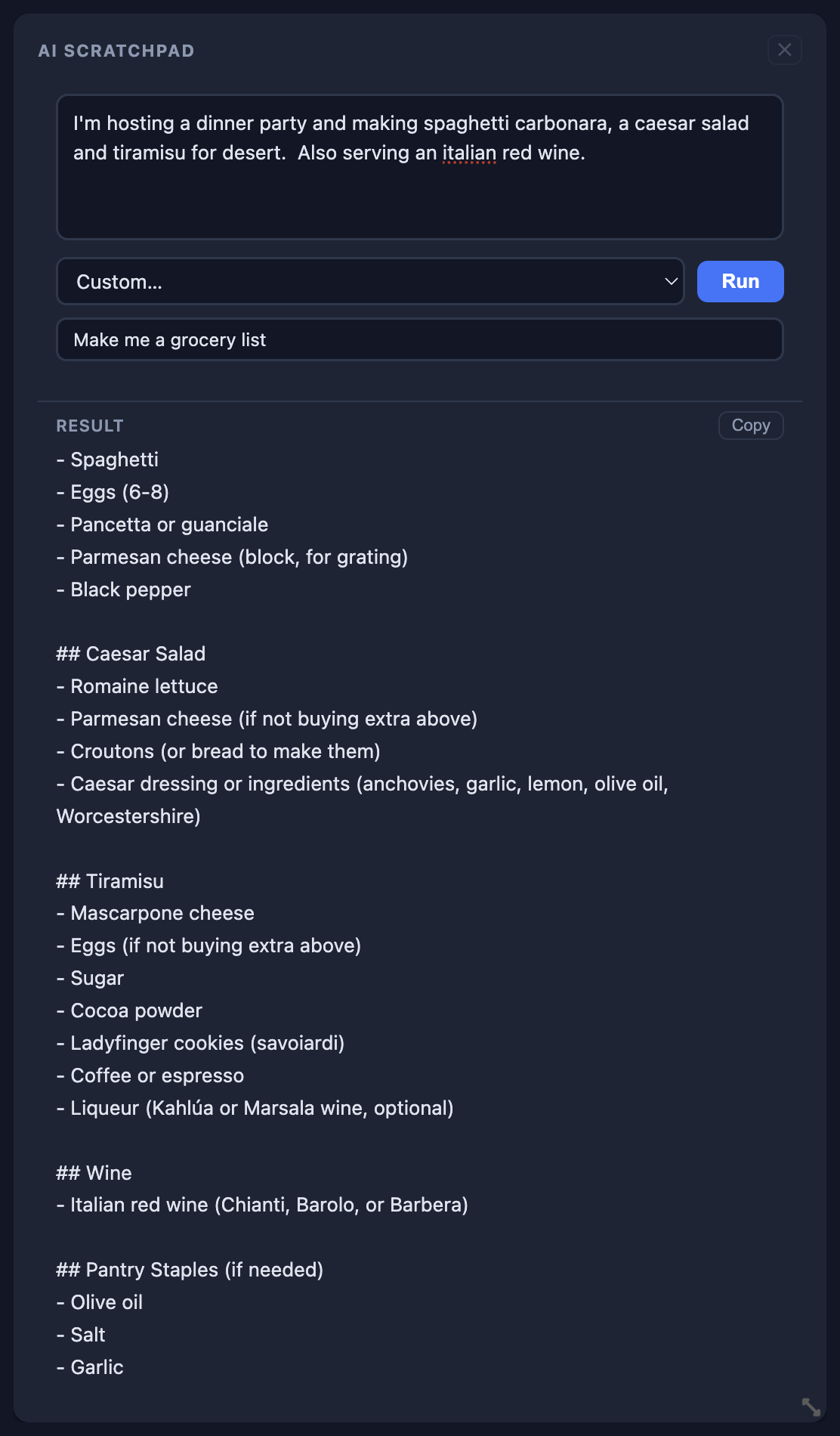
What's included
- Summarize text into clear bullet points
- Format messy data as clean, valid JSON
- Draft professional emails from rough notes
- Rewrite and clean up any paragraph
- Custom instructions — ask the AI anything
- Results appear inline, no page navigation
- Copy result to clipboard in one click
- Rename the widget for different use cases
- Cmd+Enter shortcut to run from keyboard
- Powered by Claude (Anthropic)
- Runs on Core — no extra API keys needed
- Your last action is remembered per widget
How it works
1
Paste your text
Drop in meeting notes, a raw data blob, a messy paragraph, or anything else you need transformed.
2
Pick an action
Choose Summarize, Format JSON, Draft Email, Rewrite, or type a Custom instruction.
3
Hit Run
The AI processes your text server-side and the result appears directly inside the widget — no new tab, no context switching.
4
Copy and go
One click copies the result to your clipboard. Use it in an email, a doc, a Slack message — wherever you need it.
Less tab-switching. More doing.
AI Scratchpad is available on Core. Add it to your dashboard and start transforming text in seconds.