Currency Converter
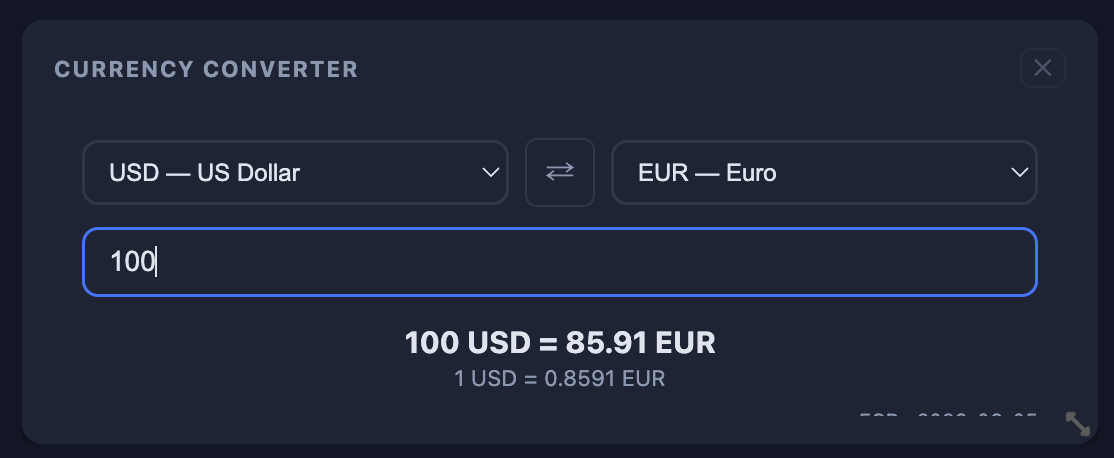
Pick two currencies, type an amount, and get an instant conversion using live ECB rates. Add up to 3 on your board for side-by-side comparisons.
What's included
- 30+ currencies including USD, EUR, GBP, JPY, and more
- Live rates sourced from the European Central Bank
- Rates refresh daily — always current
- One-click swap to reverse the conversion
- Your currency pair is saved per widget
- Add up to 3 converters — track different pairs at once
- Works alongside the Currency Exchange rate table
- Lightweight — no clutter, just the conversion you need
How it works
1
Add the widget
Open the widget picker, find Currency Converter under Finance, and add it to your board. Add up to 3 for different pairs.
2
Pick your currencies
Use the two dropdowns to select your from and to currencies. Your selection is remembered across sessions.
3
Type an amount
Enter any number and the converted result appears instantly. The exchange rate and ECB source date are shown below.
4
Swap and compare
Hit the swap button to reverse the direction. Add a second widget with a different pair to compare rates side by side.
Currency conversion, always one glance away.
Currency Converter is available on Core. Add up to 3 to your dashboard.