Meeting Time Finder
Stop doing timezone math in your head. Set your local time, add everyone else's city, and instantly see what time it is for each person — plus a smart recommendation for the best time to meet.
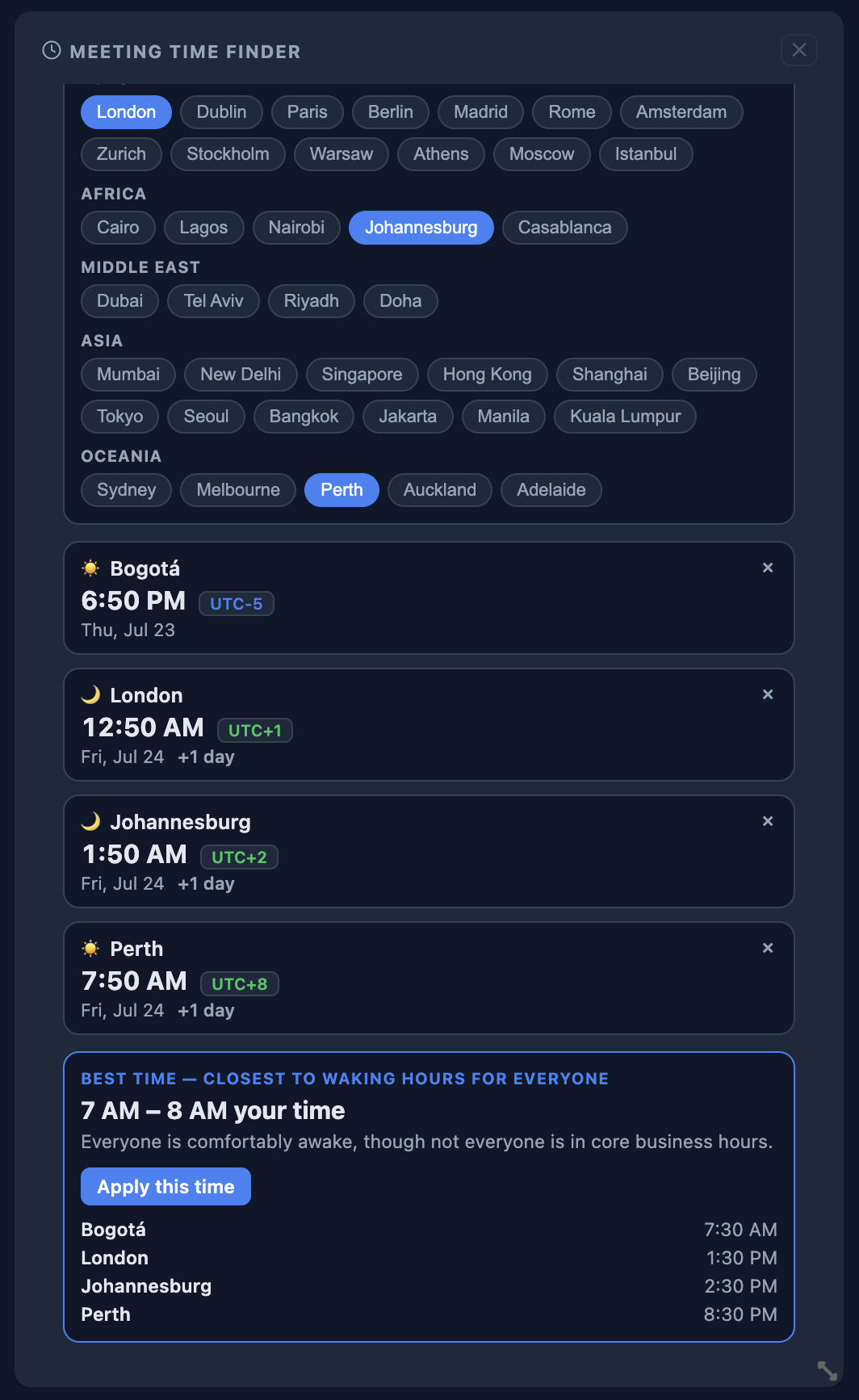
What's included
- Searchable city picker covering every continent
- Live local time, date, and day/night indicator for each city
- UTC offset badge showing who's ahead and who's behind
- Automatic "+1 day" / "−1 day" flag when a meeting crosses midnight
- One-click "Use current time" to start from right now
- Smart best-time recommendation that favors everyone's working hours
- "Apply this time" button to instantly set your base time to the recommendation
- Your cities and settings sync across devices
How it works
1
Add from the picker
Open the widget picker, find Meeting Time Finder under Productivity, and add it to your board.
2
Set your base time
Pick your city, then a date and time — or just click "Use current time."
3
Add your attendees' cities
Search and tap to add every city you're scheduling with. They're saved for next time.
4
Pick the best time
See everyone's local time at a glance, or apply the widget's recommended meeting window in one click.
Never miscount a timezone again
Included with every Core plan. Add it to your dashboard in seconds.