Spotify Player
Your music, right on your dashboard. Connect your Spotify account, see what's playing, and control playback without switching tabs.
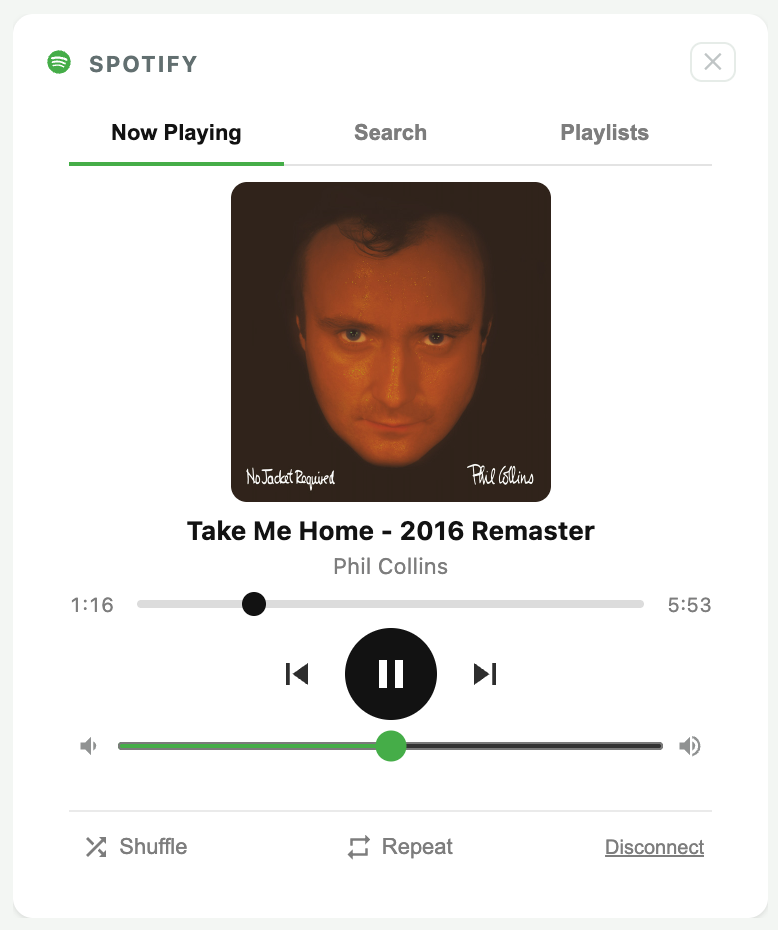
What's included
- One-click Spotify login via secure OAuth
- Album art, track name, and artist
- Play, pause, skip forward and back
- Seek scrubber with elapsed and total time
- Volume slider
- Shuffle and repeat toggles
- Tokens stored locally — stays connected across sessions
- Auto token refresh — no re-login required
- Works with any music, playlist, or podcast in Spotify
- Disconnect anytime from the widget footer
How it works
1
Add the widget
Open the widget picker and select Spotify Player from the Entertainment category.
2
Connect your account
Click "Connect Spotify." A secure popup opens, you authorize MyDashboard, and it closes automatically.
3
Start playing
Open Spotify on any device, start playing something, and your dashboard player takes over.
4
Control from here
Use the play, skip, and volume controls directly on your dashboard. No app switching.
Requires Spotify Premium. The in-browser player uses Spotify's Web Playback SDK, which is only available to Premium subscribers. Your Spotify credentials are never shared with MyDashboard — authentication is handled directly by Spotify.
Ready to add it?
Spotify Player is available on the Core plan. Upgrade or start a free trial to get access.